 yunchan
8cd34a80ff Each session created a new TextureRgba and closeTexture never released it, so the engine's FlPixelBufferTexture kept its GL texture (one frame of GPU or, with llvmpipe, process memory per session). Releasing the object is not safe: FlPixelBufferTexture deletes its GL texture in dispose without selecting a GL context, so a release from another window deletes that window's texture of the same name (upstream PR #2 turned the remaining window white). closeTexture(key, recycle: true) now keeps the texture in a list of the plugin instance, i.e. of the engine (window) that created it, and the next createTexture of that engine registers it again. Its GL texture is only ever touched by that engine's populate in its own context, nothing is released, and the GL memory is bounded by the number of textures a window had open at once. When the engine goes away the recycled textures stay referenced for the same reason. Without recycle (old callers, or a tab that moves to another window while its session still holds the pointer) a closed texture stays terminated and is never handed out again. With no frame waiting, copy_pixels hands out one transparent pixel instead of no buffer, so a recycled texture cannot show the last frame of its previous session before the first new frame. Dart: closeTexture(int key, {bool recycle = false}) sends "recycle"; other platforms ignore it. Tests: all ten Linux lifecycle tests pass (clang and gcc, -Wall -Werror, also under ASan/UBSan); Dart 4/4. Co-Authored-By: Claude Opus 5.5 (1M context) <noreply@anthropic.com> |
||
|---|---|---|
| .github/workflows | ||
| .vscode | ||
| example | ||
| lib | ||
| linux | ||
| macos | ||
| res | ||
| test | ||
| windows | ||
| .gitignore | ||
| .metadata | ||
| analysis_options.yaml | ||
| CHANGELOG.md | ||
| LICENSE | ||
| pubspec.yaml | ||
| README.md | ||
Texture Rgba Renderer
A general texture helper which brings both of high and low level api to handle BGRA data for Flutter. Only one time frame copy required, and aims to get a full hardware acceleration.
This plugin is originally developed for RustDesk.
Now it's in active development, which aims to improve the memory usage and performance.
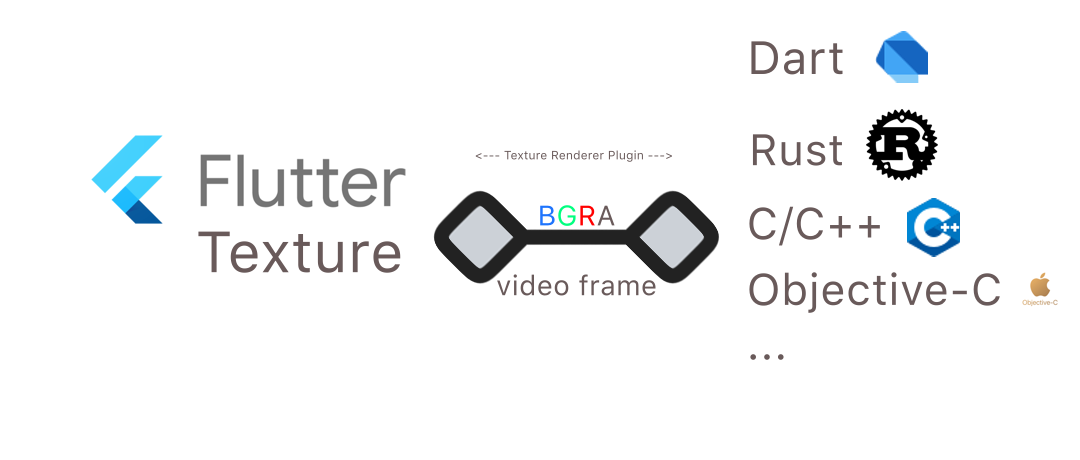


Platform Support
The plugin aims to provide opengl impl for the texture, which bring a better performance instead of FFI + CustomPainter.
- Linux
- Windows
- MacOS
Note: Please use the BGRA format for ALL platforms.
Getting Started
Create a texture by calling createTexture.
_textureRgbaRendererPlugin.createTexture(key).then((textureId) {
      if (textureId != -1) {
        debugPrint("Texture register success, textureId=$textureId");
        setState(() {
          this.textureId = textureId;
        });
      } else {
        return;
      }
    });
Transfer rgba data by calling onRgba.
data = mockPicture(width, height);
final res = await _textureRgbaRendererPlugin.onRgba(key, data!, height, width);
if (!res) {
    debugPrint("WARN: render failed");
}
Close a texture by calling closeTexture.
if (key != -1) {
    _textureRgbaRendererPlugin.closeTexture(key);
}
Check the example for details.
API
For a better convienent interface for both dart and native developers, the plugin provides two kinds of APi to render the frame.
Benchmark:
macOS Bigsur qemu vm (4+8G), with OpenGL accelerated. Release build.
| API Kind | FPS(Average) |
|---|---|
| Method Channel (Dart) API | ~45 |
| Native API | ~670 |
Conclusion:
For a better performance, please use Native API provided by this plugin.
Dart API
You can create/close a texure with the dart API provided by this plugin. And you can also provide the BGRA data to the texure via onRgba function.
class TextureRgbaRenderer {

  /// Create a texture with unique identifier [key].
  ///
  /// @return a texture id which can be used with
  /// ```dart
  /// Texture(textureId: textureId)
  /// ```
  Future<int> createTexture(int key) {
    return TextureRgbaRendererPlatform.instance.createTexture(key);
  }

  /// Close a texture with unique identifier [key].
  ///
  /// @return a boolean to indicate whether the operation is sucessfully executed.
  Future<bool> closeTexture(int key) {
    return TextureRgbaRendererPlatform.instance.closeTexture(key);
  }

  /// Provide the rgba data to the texture.
  Future<bool> onRgba(int key, Uint8List data, int height, int width) {
     return TextureRgbaRendererPlatform.instance.onRgba(key, data, height, width);
  }

  /// For native API.
  Future<int> getTexturePtr(int key) async {
    final ptr =
        await methodChannel.invokeMethod('getTexturePtr', {"key": key}) ??
            false;
    return ptr;
  }
}
Native API
Note that the onRgba function is not called immediately. It depends on the execution scheduler of Flutter. To solve the problem, the plugin provide the low level function on all 3 pc platforms, which can make them be executed immediately.
void FlutterRgbaRendererPluginOnRgba(void* texture_rgba_ptr, const uint8_t* buffer, int len, int width, int height, int stride_align)
You could use the native API in other programing languages. A dart quick example:
/// The `Native` class is bundled in this plugin.
typedef F1 = Void Function(Pointer<Void> ptr, Pointer<Uint8> buffer, Int len,
    Int32 width, Int32 height, Int stride_align);
typedef F1Dart = void Function(Pointer<Void> ptr, Pointer<Uint8> buffer,
    int len, int width, int height, int stride_align);

class Native {
  Native._();

  static Native get _instance => Native._()..init();
  static Native get instance => _instance;

  late F1Dart onRgba;

  init() {
    final lib = DynamicLibrary.process();
    onRgba = lib.lookupFunction<F1, F1Dart>("FlutterRgbaRendererPluginOnRgba");
  }
}
...

// Call
Native.instance.onRgba(ptr_from_method_getTexturePtr, bgra_data, width, height);
Note that the buffer is not taken by the plugin, you should handle the lifecycle of the buffer yourself.
Both example usages of two kinds of onRgba can be found in example folder.
Thanks
License
