 yunchan
7af0d01118 Every frame made a new IOSurface-backed CVPixelBuffer (33 MB at 4K), and the engine let it go soon after. R T-4201 measured 2.2 to 7.8 ms per 4K frame alone, up to 110 ms, and a 6.5 ms median at 60 fps; upstream #16922 saw 37% of the CPU and memory swings of 1.85 to 2.43 GB. Frames now go into the buffers of a CVPixelBufferPool with IOSurface properties, made again when the frame size changes. A pool hands a buffer out again as soon as nobody holds it, even while its IOSurface backs a live Metal texture (measured), and engine a18df97c lets go of the pixel buffer and of its CVMetalTexture as soon as it has the Metal texture, which Skia then draws until the next frame. So the texture keeps the buffers it last handed to the engine: the one drawn, and the one drawn before it, which GPU work queued meanwhile may still read (the plugin cannot see when the GPU is done, flutter#157379; inferred). With the newest frame and the one being written, a texture uses three buffers while the engine keeps up and four when it falls behind. Tests: pool_reuses_buffers passes (60 IOSurfaces for 60 frames of a size, now at most 4). drawn_frame_is_not_overwritten fails when no handed buffer is kept, frame_drawn_before_is_not_overwritten when one is; both pass with two. Co-Authored-By: Claude Opus 5.5 <noreply@anthropic.com> |
||
|---|---|---|
| .github/workflows | ||
| .vscode | ||
| example | ||
| lib | ||
| linux | ||
| macos | ||
| res | ||
| test | ||
| windows | ||
| .gitignore | ||
| .metadata | ||
| analysis_options.yaml | ||
| CHANGELOG.md | ||
| LICENSE | ||
| pubspec.yaml | ||
| README.md | ||
Texture Rgba Renderer
A general texture helper which brings both of high and low level api to handle BGRA data for Flutter. Only one time frame copy required, and aims to get a full hardware acceleration.
This plugin is originally developed for RustDesk.
Now it's in active development, which aims to improve the memory usage and performance.
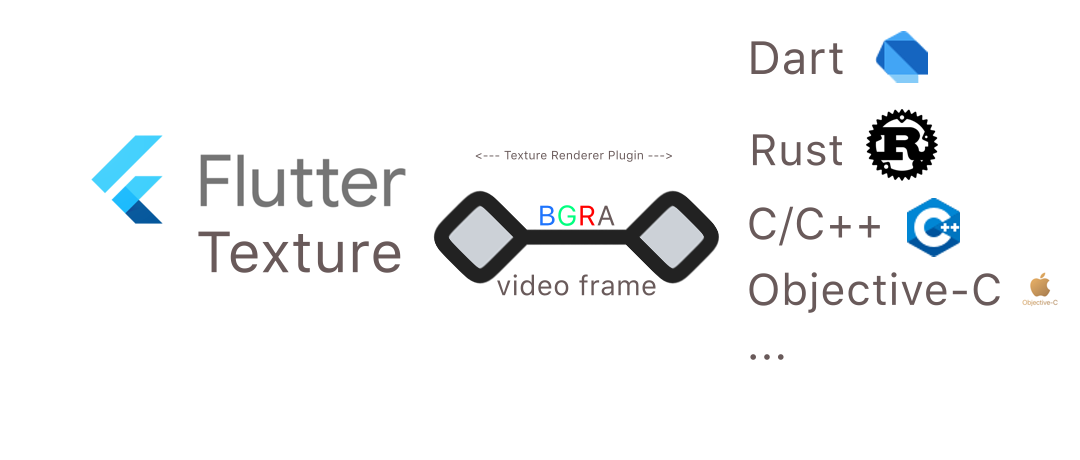


Platform Support
The plugin aims to provide opengl impl for the texture, which bring a better performance instead of FFI + CustomPainter.
- Linux
- Windows
- MacOS
Note: Please use the BGRA format for ALL platforms.
Getting Started
Create a texture by calling createTexture.
_textureRgbaRendererPlugin.createTexture(key).then((textureId) {
      if (textureId != -1) {
        debugPrint("Texture register success, textureId=$textureId");
        setState(() {
          this.textureId = textureId;
        });
      } else {
        return;
      }
    });
Transfer rgba data by calling onRgba.
data = mockPicture(width, height);
final res = await _textureRgbaRendererPlugin.onRgba(key, data!, height, width);
if (!res) {
    debugPrint("WARN: render failed");
}
Close a texture by calling closeTexture.
if (key != -1) {
    _textureRgbaRendererPlugin.closeTexture(key);
}
Check the example for details.
API
For a better convienent interface for both dart and native developers, the plugin provides two kinds of APi to render the frame.
Benchmark:
macOS Bigsur qemu vm (4+8G), with OpenGL accelerated. Release build.
| API Kind | FPS(Average) |
|---|---|
| Method Channel (Dart) API | ~45 |
| Native API | ~670 |
Conclusion:
For a better performance, please use Native API provided by this plugin.
Dart API
You can create/close a texure with the dart API provided by this plugin. And you can also provide the BGRA data to the texure via onRgba function.
class TextureRgbaRenderer {

  /// Create a texture with unique identifier [key].
  ///
  /// @return a texture id which can be used with
  /// ```dart
  /// Texture(textureId: textureId)
  /// ```
  Future<int> createTexture(int key) {
    return TextureRgbaRendererPlatform.instance.createTexture(key);
  }

  /// Close a texture with unique identifier [key].
  ///
  /// @return a boolean to indicate whether the operation is sucessfully executed.
  Future<bool> closeTexture(int key) {
    return TextureRgbaRendererPlatform.instance.closeTexture(key);
  }

  /// Provide the rgba data to the texture.
  Future<bool> onRgba(int key, Uint8List data, int height, int width) {
     return TextureRgbaRendererPlatform.instance.onRgba(key, data, height, width);
  }

  /// For native API.
  Future<int> getTexturePtr(int key) async {
    final ptr =
        await methodChannel.invokeMethod('getTexturePtr', {"key": key}) ??
            false;
    return ptr;
  }
}
Native API
Note that the onRgba function is not called immediately. It depends on the execution scheduler of Flutter. To solve the problem, the plugin provide the low level function on all 3 pc platforms, which can make them be executed immediately.
void FlutterRgbaRendererPluginOnRgba(void* texture_rgba_ptr, const uint8_t* buffer, int len, int width, int height, int stride_align)
You could use the native API in other programing languages. A dart quick example:
/// The `Native` class is bundled in this plugin.
typedef F1 = Void Function(Pointer<Void> ptr, Pointer<Uint8> buffer, Int len,
    Int32 width, Int32 height, Int stride_align);
typedef F1Dart = void Function(Pointer<Void> ptr, Pointer<Uint8> buffer,
    int len, int width, int height, int stride_align);

class Native {
  Native._();

  static Native get _instance => Native._()..init();
  static Native get instance => _instance;

  late F1Dart onRgba;

  init() {
    final lib = DynamicLibrary.process();
    onRgba = lib.lookupFunction<F1, F1Dart>("FlutterRgbaRendererPluginOnRgba");
  }
}
...

// Call
Native.instance.onRgba(ptr_from_method_getTexturePtr, bgra_data, width, height);
Note that the buffer is not taken by the plugin, you should handle the lifecycle of the buffer yourself.
Both example usages of two kinds of onRgba can be found in example folder.
Thanks
License
